表格查询-展开
## onion.switchBtn
### 1.功能
当表单内容过多时, 会进行隐藏, 点击控制隐藏
### 2.使用场景
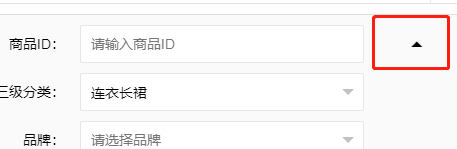
隐藏前

隐藏后

点击按钮控制展开与收起
### 3.如何使用
#### 3.1 js 添加代码
```js
onion.switchBtn();
```
#### 3.2 html 表单内添加代码
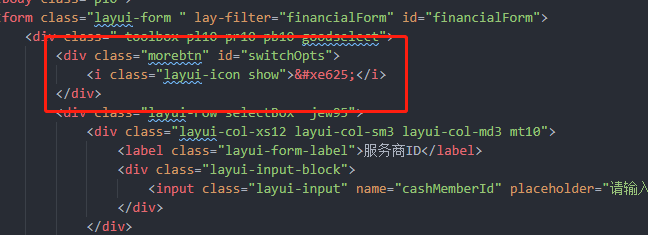
##### 3.2.1. 添加点击按钮模板
```html
<div class="morebtn" id="switchOpts">
<i class="layui-icon show"></i>
</div>
```
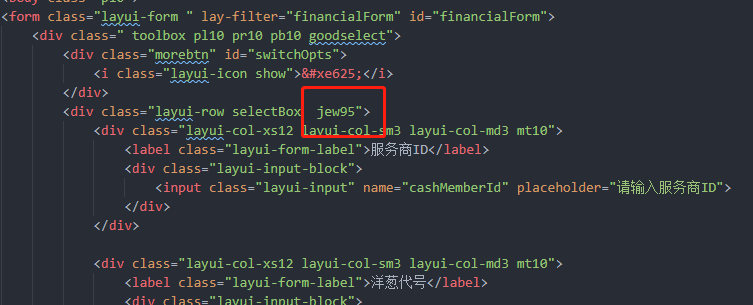
##### 3.2.2. 添加css, 表单宽度改为 95%
```css
selectBox jew95
```
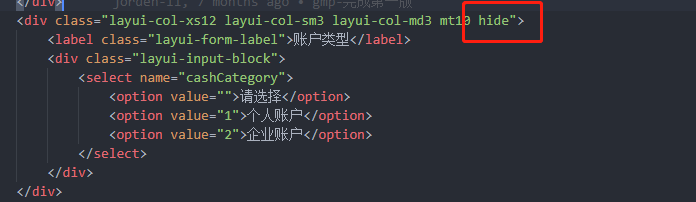
##### 3.2.3. 需要进行隐藏的内容在 `class` 加上 `hide`
### 4. api定义
``` javascript
onion.switchBtn = function () {
//筛选展开关闭
$("#switchOpts").on('click', function () {
var hs = $(this).hasClass('up')
if (hs) {
$(".selectBox>div:gt(3)").hide();
$(this).removeClass('up');
} else {
$(".selectBox>div:gt(3)").show();
$(this).addClass('up')
}
})
};
```