uni-app
- 新建项目
- 新建目录/新建页面
- 新建路由
- 统一头部
- 基本组件
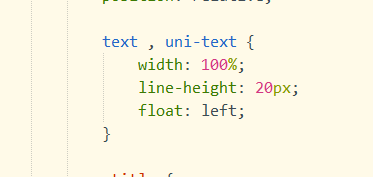
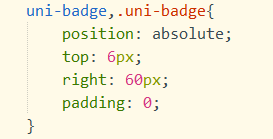
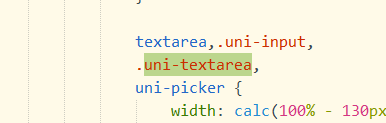
- 自定义样式
- 绑定数据 `:value=""``v-model`
- `:value=""`和`v-model`的区别:`:value`不是双向绑定
- 加载时调用的方法:`onload(){}`相当于PC端的`mounted(){}`
- 数据加载中的loadding
```js
//开启
uni.showLoading({
title: '加载中'
});
//关闭
uni.hideLoading();
```
- 表单验证
- `@tap` 和 `@click`的区别
- vue中监听对象
```js
watch:{
'innerInfo.phone':{
handler(val){
if(!until.checkMobile(val)){
uni.showToast({
title:"手机号码格式错误",icon:'none'
});
return;
}
}
}
},
```
- uni-app使用watch监听不起作用????
- uni-app中表单验证???
- 使用vue的watch和
- vue 取消table全选
- `this.$refs.table.selectAll(false);`
- 设置全选
- `this.$refs.table.selectAll(true);`
- uni-app安装第三方包
- 新建一个空的文件夹,打开文件位置,cmd,
- `npm init`
- 一路回车
- `npm i async-validator-uniapp --sav`
- 找到文件夹中的node_modules,复制到我们的根目录下面
uni-app路由传参:
```js
uni.navigateTo({
url: './illegal_add?aaa=false'
})
```
```js
onLoad(option){
this.aaa=JSON.parse(option.aaa);
}
```
uni-app路由传参boolean变成了string
字符串转布尔值
`JSON.parse('true')`
url传参是个对象

```js
uni.navigateTo({
url:'./illegal_add?'+'aaa=true&innerInfo='+encodeURIComponent(JSON.stringify(this.innerInfo))
})
```

```js
onLoad(option){
this.disabled=JSON.parse(option.aaa); this.innerInfo=JSON.parse(decodeURIComponent(option.innerInfo));
}
```
下拉框的使用
```js
<view class="uni-form-item uni-column form_input">
<view class="title">战时用途</view>
<picker :class="!disabled ? 'edit_con' :''" :value="wartimeUseIndex" v-model="innerInfo.defenseInfo.wartimeUse" :range="wartimeUseArr" @change="bindPickerChange($event,'wartimeUse')"
:disabled='disabled'>
<view class="uni-input">{{wartimeUseArr[wartimeUseIndex]}}</view>
</picker>
</view>
```
```js
protectionIndex: 0, //防护等级
protectionArr: this.$dicData.filter(e => e.name === '防护等级')[0].data,
bindPickerChange(e, type) {
switch (type) {
case 'protection':
this.protectionIndex = e.target.value
break;
case 'chemical':
this.chemicalIndex = e.target.value
break;
case 'usualUse':
this.usualUseIndex = e.target.value
break;
case 'wartimeUse':
this.wartimeUseIndex = e.target.value
break;
default:
break;
}
},
```
uni-app中写样式慎用padding-left和padding-right
uni-app样式坑: